

Latest Version
Blackmagic Design Inc
Design
Mac
Free
571213070
Report a Problem
More About DaVinci Resolve
The Ultimate Post-Production Suite for Creative Pros
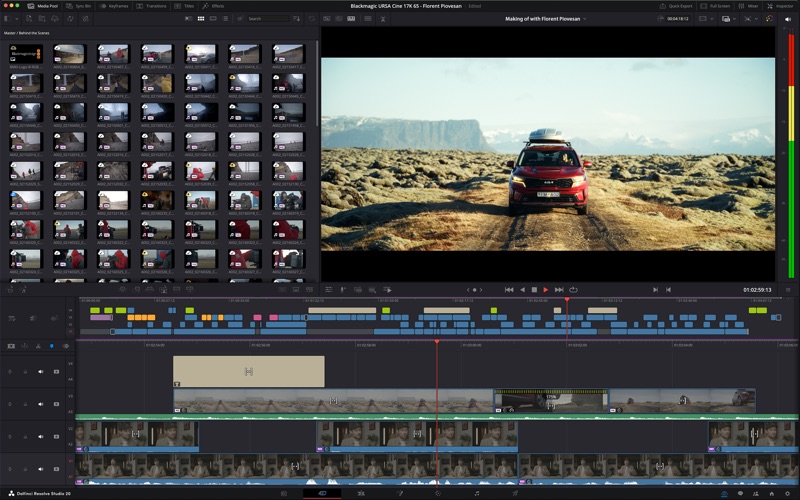
Imagine you are working on a tight deadline, trying to assemble a high-quality video project. You edit your footage in one application, export it to another for color correction, jump to a third for visual effects, and finally head to a dedicated audio tool to clean up the sound. This fragmented workflow is slow and prone to errors. DaVinci Resolve video editing software solves this exact problem by bringing every stage of post-production into a single, cohesive ecosystem on your Mac.
Developed by Blackmagic Design Inc, this industry-standard application allows editors, colorists, and sound designers to collaborate in real time. Whether you are cutting a quick social media clip or finishing a feature film, the software provides a seamless transition between different creative tasks with just a single click.
Key Features of DaVinci Resolve Video Editing Software
- The Cut Page: Tailored for tight deadlines, this interface maximizes editing speed with dual timelines, a sync bin, and smart editing tools designed for rapid assembly.
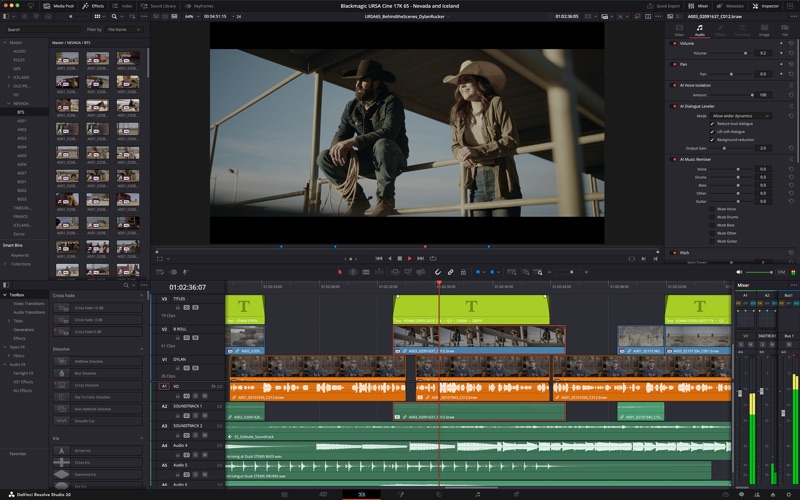
- Professional Editing Tools: Perfect for detailed offline editorial work and online finishing, offering advanced trimming, multi-camera editing, and subtitling options.
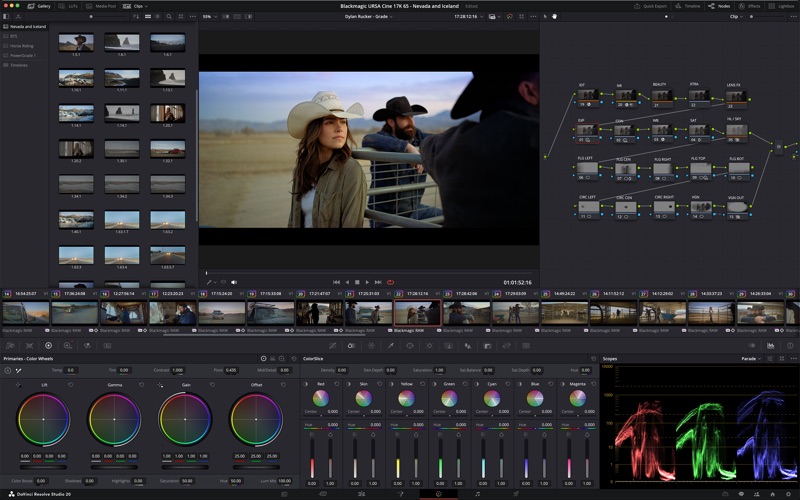
- Hollywood-Grade Color Correction: Access the industry’s favorite primary and secondary color grading tools, including HDR grading palettes, power windows, and tracking.
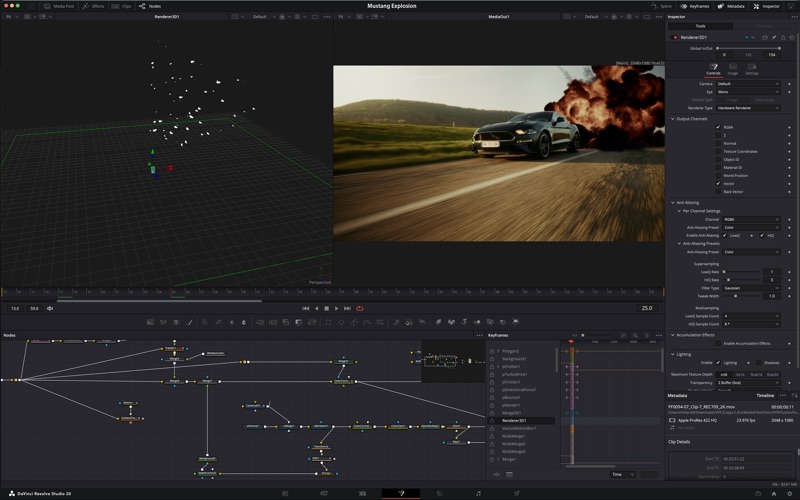
- Fusion Visual Effects: A complete 3D workspace featuring over 250 tools for compositing, vector warping, and creating premium motion graphics.
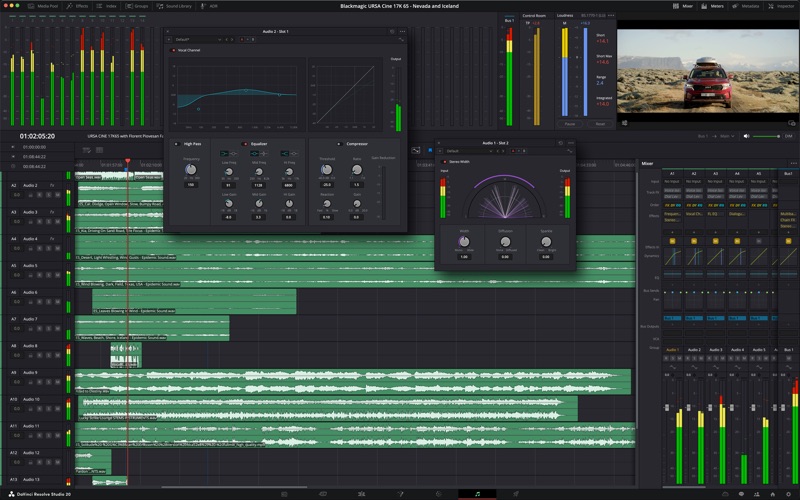
- Fairlight Audio Post-Production: A built-in digital audio workstation with multi-track editing, ADR tools, and high-performance audio cleanup plugins.
- Blackmagic Cloud Collaboration: Host project libraries remotely to collaborate in real time with team members anywhere in the world.
Who Is This Professional Editing Suite For?
This software is built for independent creators, professional colorists, sound engineers, and large production teams who require uncompromising quality. It bridges the gap between simple video editing and high-end cinematic finishing. However, users should note that the Mac App Store edition has specific limitations regarding some external control panels and third-party OpenFX or VST plugins.
System Requirements
To run this powerful suite smoothly, you will need a modern Mac with Apple silicon, running macOS 15 or higher. The software requires at least 8GB of system memory (16GB is highly recommended when utilizing the Fusion effects workspace) and a display resolution of at least 1440 x 900.
Enhance Your Workflow Today
If you are ready to elevate your video production with the same tools used by top Hollywood studios, this application is an outstanding choice. You can explore this industry-leading creative suite by visiting the official Mac App Store to get started on your next project.
Rate the App
User Reviews




Popular Apps










Editor's Choice